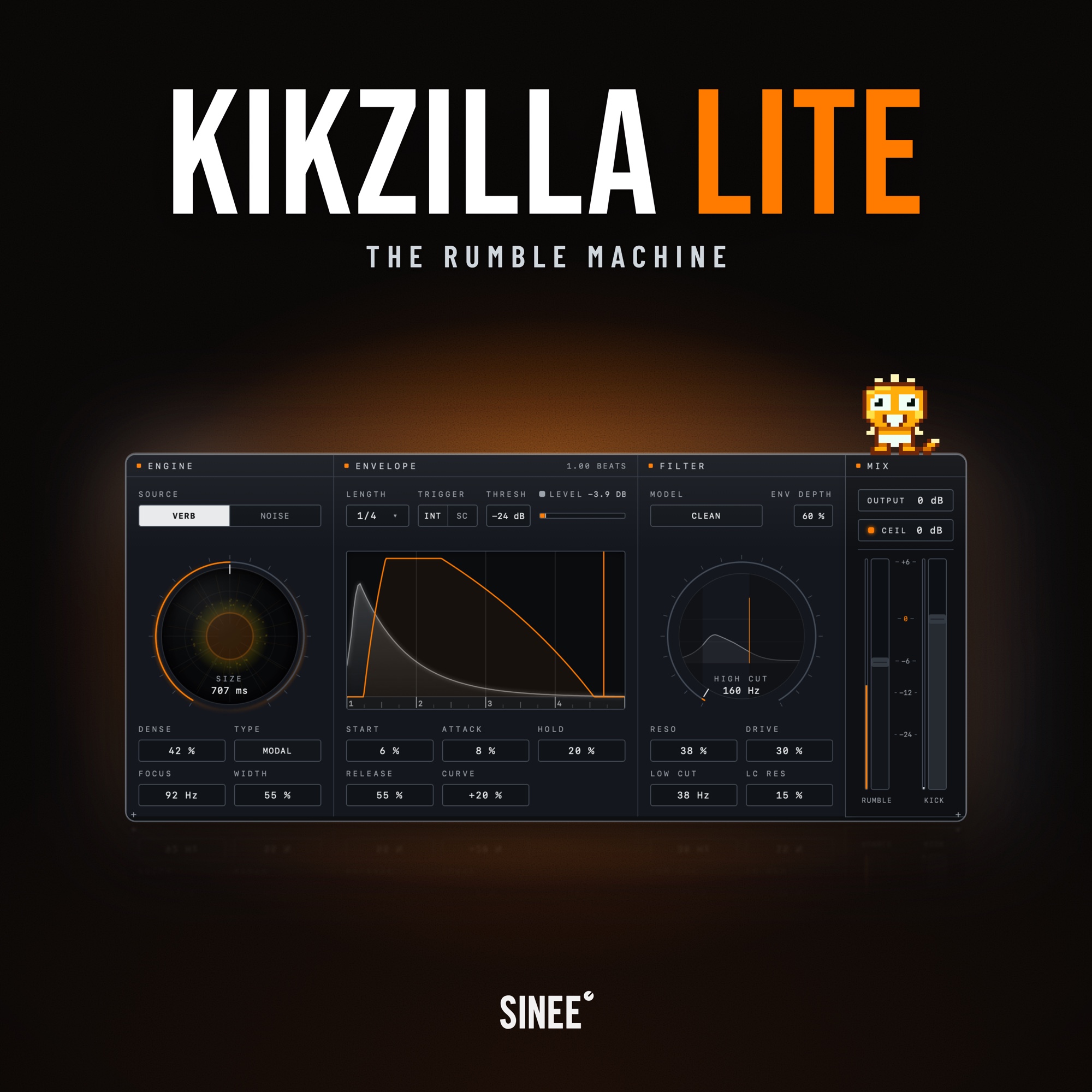
Kikzilla Lite · The Rumble Machine
Kikzilla Lite is the Rumble Machine from SINEE Audiotools, the direct workflow of the original Kikzilla as a new plugin.
The kick triggers the envelope, verb or noise builds the rumble, the filter gives it its tone, and two faders put it under your kick. All on one panel, no tabs.
€39.00
Regular price: €49.00
Product information "Kikzilla Lite · The Rumble Machine"
Kikzilla Lite is the Rumble Machine. Build a rumble under your kick: the kick triggers the envelope, verb or noise makes the rumble, and the filter gives it its tone. Two sources, the classic envelope, the Kikzilla 2 filter and two faders. One plugin, one panel, no tabs.
▶ Hear Kikzilla Lite in action: audio demos, screenshots and every detail at audiotools.sinee.de/kikzilla-lite
The original workflow, rebuilt
The original Kikzilla arrived in 2019 and is still making rumbles today, with more than 10,000 copies sold. Kikzilla Lite brings its direct workflow back as a new plugin: the kick triggers the envelope, verb or noise builds the rumble, and two faders put it under your kick.
One panel, read from left to right
There are no tabs to open and no pages to find. Engine, envelope, filter and mix sit side by side on one surface. Everything the rumble does stays in view while you shape it.
- Engine: verb or noise, three characters each. The orb draws what the engine is doing.
- Envelope: five controls give the rumble its shape, drawn live over your own kick.
- Filter: high cut with three models, drive before it, a low cut, and the envelope on the cut.
- Mix: two faders, output and a clipper on the sum. Auto Gain holds the rumble to the kick.
Find the rumble beneath your kick
A verb that rings out after the kick, or a noise bed that fills the bar. Six characters give you different foundations for the rumble, from a tight mass to broken texture.
- Verb rings out after the kick. Modal is a tight mass, Wall a flat plate that is there from the first hit, Bloom opens up after the kick instead of fading from it.
- Noise fills the bar between the kicks. Classic is a bed of white, pink or brown noise, Grit is dirt in the mids, Rubble is loose chunks instead of a surface.
Every kick restarts the source, and the sub stays mono.
The classic shape of the original
A reverb decays. A rumble has a shape that answers the kick. Decide when it comes in, how long it holds and how it falls away, with the envelope the original Kikzilla was known for.
- Wait, rise, hold, fall: Start is the wait before the rumble comes in, so the kick keeps its place. Attack, Hold and Release set the rise, the plateau and the fall, Curve bends the slopes.
- Locked to the tempo, set off by the kick: Length sets the phrase in note values from 1/1 down to 1/16. The envelope triggers from the kick on the track, or from a sidechain when the kick comes from elsewhere. Threshold with a level meter.
The preview draws your kick under the curve and runs a playhead over it, so you shape the rumble against the actual hit.
Give the rumble its tone
The high cut decides how dark the rumble is, the model decides how it gets dark. Lite has the same filter as Kikzilla 2. Clean is a plain slope that stays out of the way. Comb puts ridges on the slope, the resonances of a comb filter, metallic and tuned to the cut. Dirty saturates on the way down: the darker the cut, the more it grinds.
- Drive before the cut: saturation on the way into the filter, with the level made up after it.
- The envelope on the high cut: ENV DEPTH opens the cut with the kick, up to four octaves, and closes it as the rumble fades.
- A low cut with its own resonance: LOW CUT clears the space under the kick, LC RES puts a bump at the edge if you want one.
Two faders and one switch
Set the kick and the rumble with two faders. Auto Gain measures the rumble every bar and holds it at a fixed distance to the kick, so the balance survives the drop. It is on by default, 6 dB under the kick.
- Both faders reach +6 dB, with a dB scale. With Auto Gain on, the Rumble fader sets the distance, not the level.
- Output from -12 to +12 dB, the last stage before the clipper, for matching the plugin to the rest of the chain.
- A clipper on the sum: Ceil clips kick and rumble together, with a ceiling you set and an LED that shows when it works. Up to 8× oversampling in the settings.
Presets and looks
- A preset bar that stays out of the way: Save, Save as, Init, Undo and Redo on one row, favourites in the browser. Every change you make is one step back.
- An init and eight starters: enough to hear each character on your kick in a minute. Your own presets sit right next to them.
- Dark or Paper, twelve accent colours: the orb, the curve and the meters follow, and so does Baby Zilla.
Kikzilla Lite or Kikzilla 2?
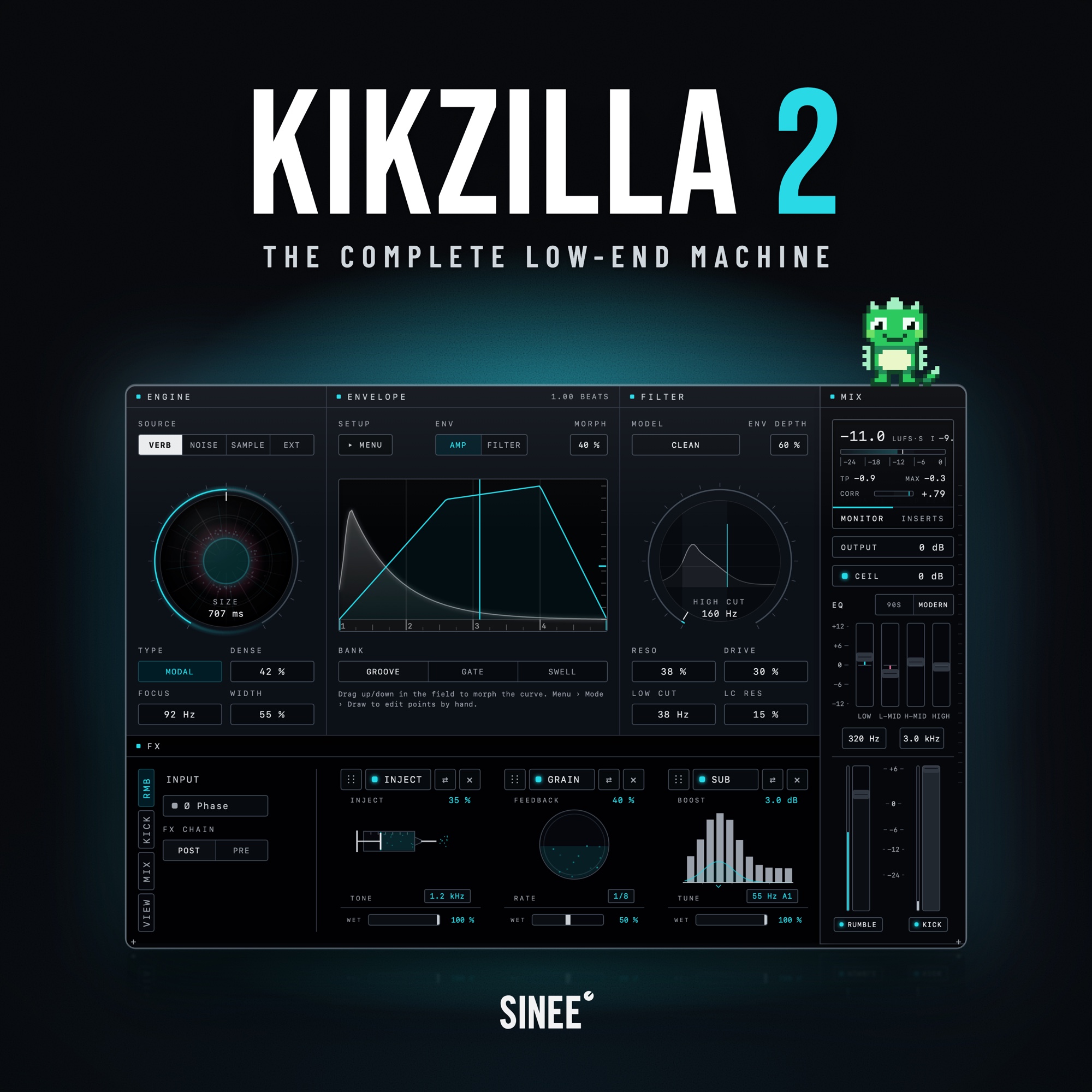
Kikzilla Lite focuses on the direct rumble workflow. Kikzilla 2, the Complete Low-End Machine, adds more sound models, Sample and Ext sources, Morph and Draw with two envelopes, modular FX chains and master EQ. Processing an external bassline is part of Kikzilla 2. Kikzilla 2 includes Kikzilla Lite.
Good to know
- Does Kikzilla Lite replace my kick instrument? No. Kikzilla Lite is built around an incoming kick. The kick triggers the envelope, and the rumble is generated underneath it.
- Is Kikzilla Lite a subscription? No. Kikzilla Lite is a one-time purchase with all features included.
Try it free for 14 days
Put Kikzilla Lite on your own kick and hear the rumble build underneath it. Try the full plugin for 14 days, with every sound character, the envelope and the filter included. After 14 days, Kikzilla Lite switches to bypass until you activate a license. Your session keeps playing, but the plugin no longer generates the rumble. Start the trial and find all details at audiotools.sinee.de/kikzilla-lite.
Download, updates and activation
After purchase, download SINEE Audiotools, the app for macOS or Windows. Use it to install Kikzilla Lite, keep it up to date and unlock it with your serial number. The app updates itself.
SINEE Audiotools for macOS and Windows.
System requirements
- macOS 11 Big Sur or later, Apple Silicon and Intel (native)
- Windows 10 or 11, 64-bit
- VST3 & AU for macOS · VST3 for Windows
- 50 MB free disk space
- Internet connection for activation
License
Personal single-user license, up to 3 activated machines, one-time online activation required, offline use after that.
| Genre / Style: | Genreübergreifend |
|---|---|
| Product category: | Plug-Ins |
| Topic: | Beat & Drum Design |