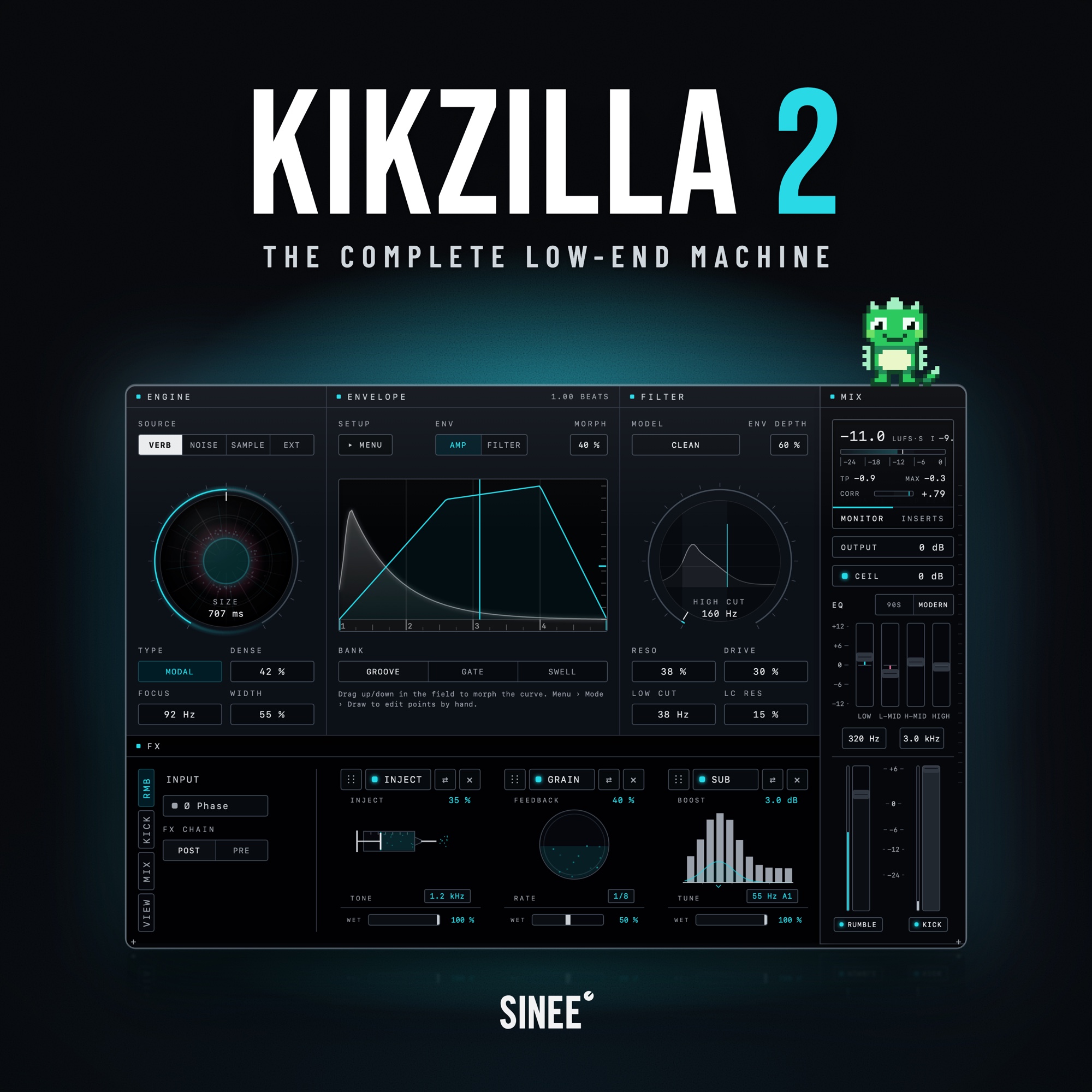
Kikzilla 2 · The Complete Low-End Machine
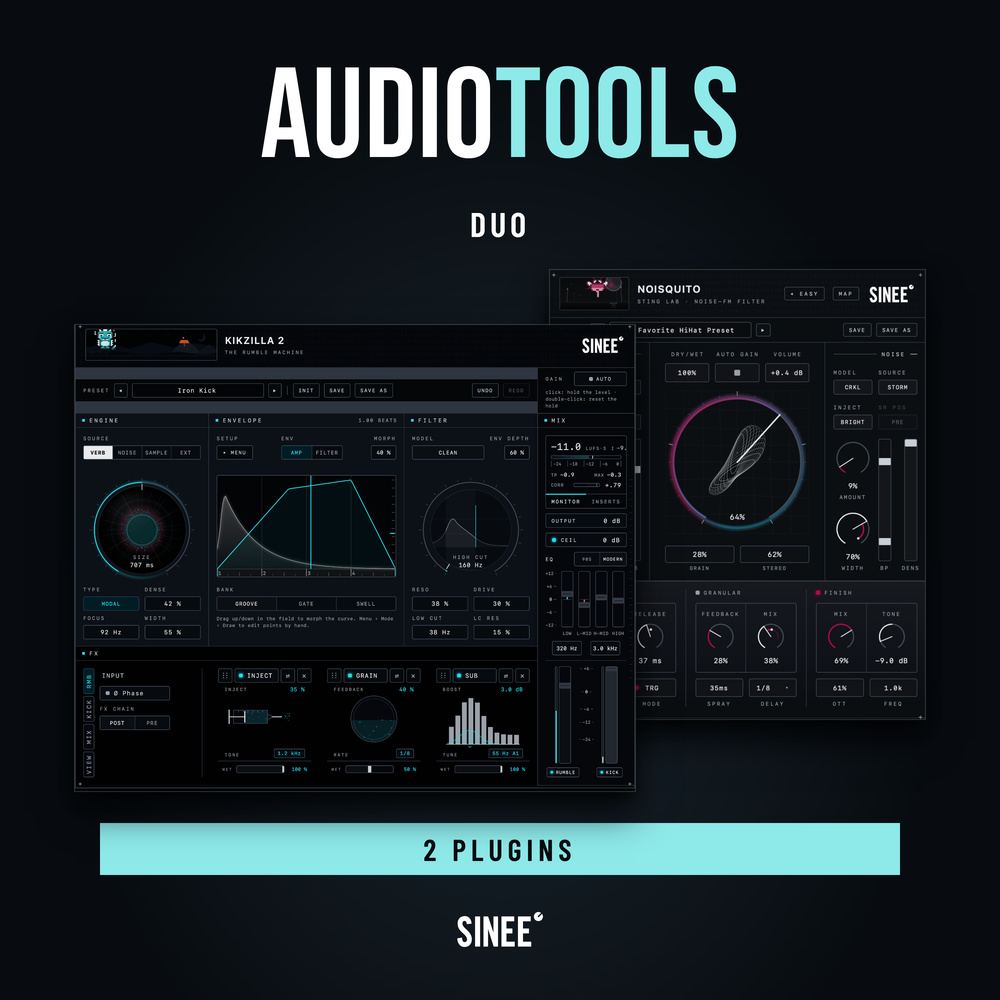
Kikzilla 2 is the low-end machine from SINEE Audiotools. Sound generation, envelopes, effects and final processing. One plugin, built around your kick.
Generate the rumble yourself or route your bassline into the external input, shape how it moves around the kick and finish everything as one low end. Kikzilla Lite is included.
€79.00
Regular price: €99.00
Product information "Kikzilla 2 · The Complete Low-End Machine"
Kikzilla 2 is the low-end machine for everything that happens under your kick. Generate rumble or bring in your own bassline. Shape the kick and everything underneath it, then bring them together as one low end. Sound generation, envelopes, effects and final processing. One plugin, built around your kick.
▶ Hear Kikzilla 2 in action: audio demos, screenshots and every detail at audiotools.sinee.de/kikzilla-2
The rumble was just the beginning
The original Kikzilla arrived in 2019 and is still making rumbles today, with more than 10,000 copies sold. Kikzilla 2 takes that idea further: from the sound under your kick to the way your entire low end works together.
Build the rumble. Fuse the bass. Finish the low end.
- Build the rumble: Use your kick to trigger the sound underneath it. Choose a sound model, shape its movement and set the tone, without assembling a separate rumble chain first.
- Bring your own bass: Already have a bassline? Route it into the external input. Use the envelopes, filter and effects to shape its movement around the kick and make it part of the same low end.
- Bring it all together: Process the kick and rumble, or your routed-in bassline, independently. Then work on their sum with Glue, saturation, EQ and clipping, all inside Kikzilla 2.
Separate where it matters. Together where it counts.
Find the sound beneath your kick
Start with a defined note, a deep body or a rough texture. Nine sound models give you different foundations for the rumble, from tonal to textural:
- Tonal: a defined note
- Body: 808-style sub
- Modal: tight body
- Bloom: opening movement
- Wall: dense wall
- Delay: rhythmic echoes
- Classic: noise texture
- Grit: rougher mids
- Rubble: broken texture
Samples and an external input let you bring your own material into the same workflow. Sample starts with one of 107 included loops, then shapes it with the same envelopes, filter and effects. Ext routes in a bassline or another signal and makes it part of the kick-and-low-end workflow.
The groove is in the shape
Decide when the low end comes in, how it moves and when it gets out of the way. The kick sits beneath the envelope, so you shape against the actual hit.
- Morph: Turn one knob and move through 36 envelope shapes across three banks: Groove, Gate and Swell. Find the feel, then move between shapes without drawing every point.
- Draw: Set points, bend the curves and build your own movement. Start from one of 27 included shapes or take a morph shape into Draw and make it yours. Save your own shapes as favourites.
- Two envelopes: one for the rumble level, one for the high cut, each with its own tempo-synced length. Trigger from the kick, run on the grid, loop while a signal is present or use MIDI.
The bassline gets its movement here. No LFO tool, no external ducking to set up.
Give the movement a tone
Choose Clean, Comb or Dirty. Clean is a plain slope: the high cut does its job and stays out of the way. Comb puts ridges on the slope, the resonances of a comb filter, metallic and tuned to the cut. Dirty saturates on the way down: the darker the cut, the more it grinds.
- Drive before the cut: saturation on the way into the filter, with the level made up after it.
- The second envelope on the high cut: ENV DEPTH sets how far the cut opens with the hit and closes as the rumble fades.
- A low cut with its own resonance: LOW CUT clears the space under the kick, LC RES puts a bump at the edge if you want one.
Serious processors. Not just extras.
Add weight where it is missing. Clear muddy low-mids. Build density, shape the hit and control the peaks. 13 effects, three chains, nine slots: put each brick on the kick, the rumble or their sum, and arrange the order around your sound.
- Sub: an adaptive sub enhancer with a tunable focus, for more foundation under the kick.
- D-Mud: dynamically reduces muddy low-mids instead of cutting them by a fixed amount, clearing the build-up between kick and rumble.
- Mag: transformer-style saturation for density and character, on an individual chain or as a shared layer of colour for kick and rumble.
- Glue: a glue compressor tuned for kick and rumble, so the low end moves together.
- Clip: a dedicated clipper with up to 8× oversampling, to control peaks and shape how hard the sound hits.
- Snap: a transient designer that changes the character of the attack, not just its level.
Plus seven more: OTT (three-band upward and downward compression), Tone (preamp colour and tilt), Inject (noise-driven texture for a rougher low end), EQ4 (four bands wherever you need them in the chain), Groove (a two-tap delay for rhythmic patterns), Grain (granular delay for texture, movement and width) and Filter (a character resonant filter inside the chain). Every slot has separate wet and bypass controls, and you drag to change the order.
Balance, then finish
Balance kick and rumble separately, then finish with master EQ, output clipping and level meters, so the low end leaves the plugin as a whole.
Kikzilla Lite included
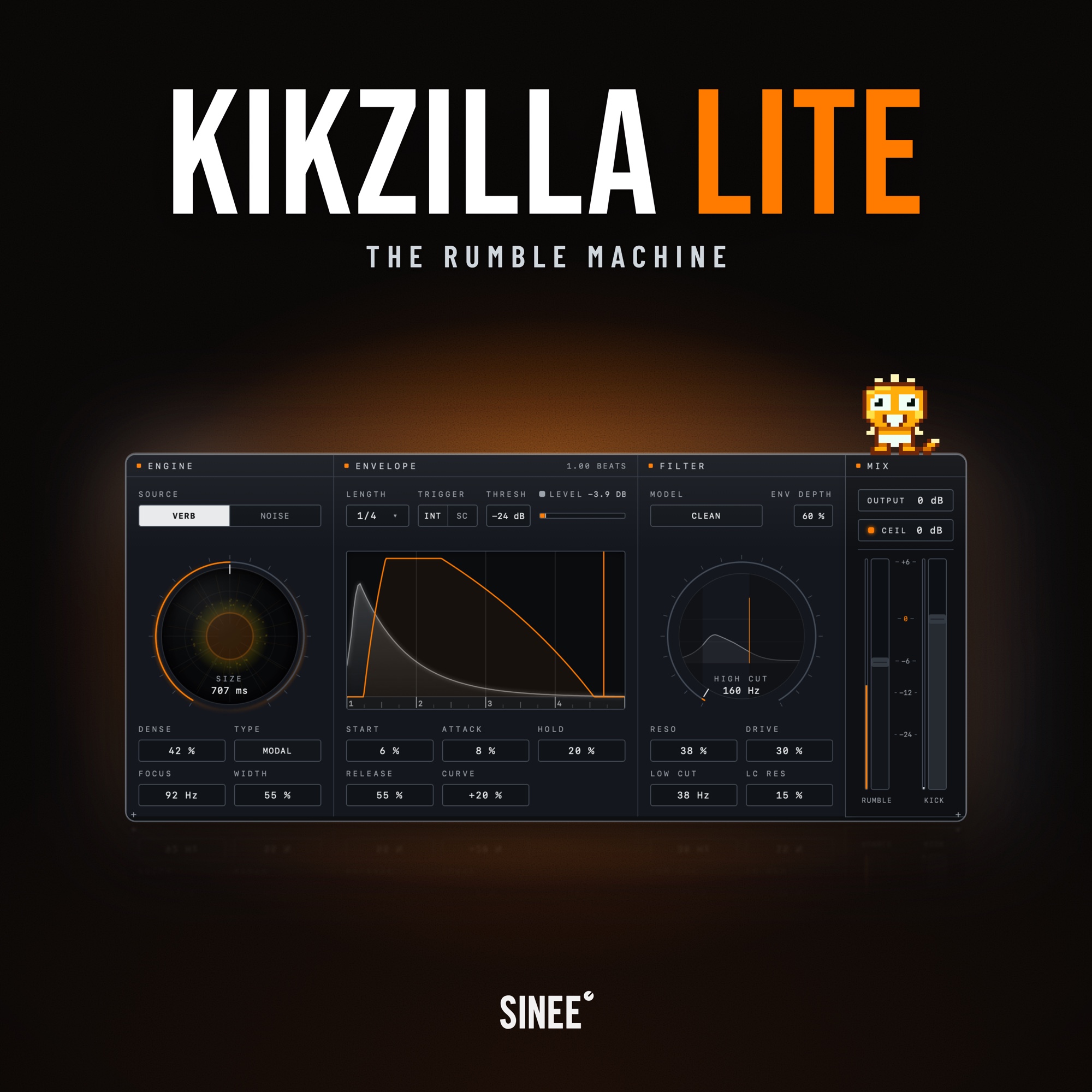
Kikzilla 2 includes Kikzilla Lite, the Rumble Machine. Lite rebuilds the direct rumble workflow of the original: verb or noise, the classic envelope, the Kikzilla 2 filter and two faders on one panel. Your serial number unlocks both plugins.
Good to know
- Does Kikzilla 2 replace my kick instrument? No. Kikzilla 2 is built around an incoming kick. Your kick remains the starting point.
- Do I need to build a separate rumble effects chain? No. The sound sources, envelope shaping, filtering and effects are inside Kikzilla 2. For external bass processing, route your bassline into the plugin.
- Is Kikzilla 2 a subscription? No. Kikzilla 2 is a one-time purchase with all features included.
Try it free for 14 days
Put Kikzilla 2 on your own material and hear how the low end comes together. Try the full plugin for 14 days, with every sound model, envelope and FX brick included. After 14 days, Kikzilla 2 switches to dry bypass until you activate a license. Your session keeps playing, but the plugin no longer generates or processes the low end. Start the trial and find all details at audiotools.sinee.de/kikzilla-2.
Download, updates and activation
After purchase, download SINEE Audiotools, the app for macOS or Windows. Use it to install Kikzilla 2 and Kikzilla Lite, keep both up to date and unlock them with your serial number. The app updates itself.
SINEE Audiotools for macOS and Windows.
System requirements
- macOS 11 Big Sur or later, Apple Silicon and Intel (native)
- Windows 10 or 11, 64-bit
- VST3 & AU for macOS · VST3 for Windows
- 300 MB free disk space (Kikzilla Lite: 50 MB)
- Internet connection for activation
License
Personal single-user license, up to 3 activated machines, one-time online activation required, offline use after that. The serial number covers Kikzilla 2 and Kikzilla Lite.
| Genre / Style: | Genreübergreifend |
|---|---|
| Product category: | Plug-Ins |
| Topic: | Beat & Drum Design |
Login
1 review
8 October 2026 19:01
geil mega
geil mega richtig geile rumble machine richtig fett gut gelungen